LATEST OFFICIAL RELEASE:
 Download v1.15.01
- (or get the portable zip)
- Dec 31, 2014 - 9x/2k/XP/Win7/Win8/Win10
HOME USERS:
 Get a free license key
 Donate to author
COMMERCIAL USERS:
 Learn about our commercial / site licenses
HELP AND ASSISTANCE:
 View help/changelog
 Discuss on forum
REVIEWS AND AWARDS:
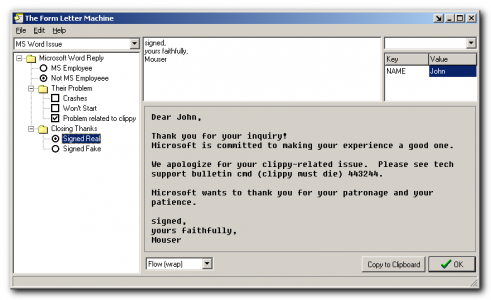
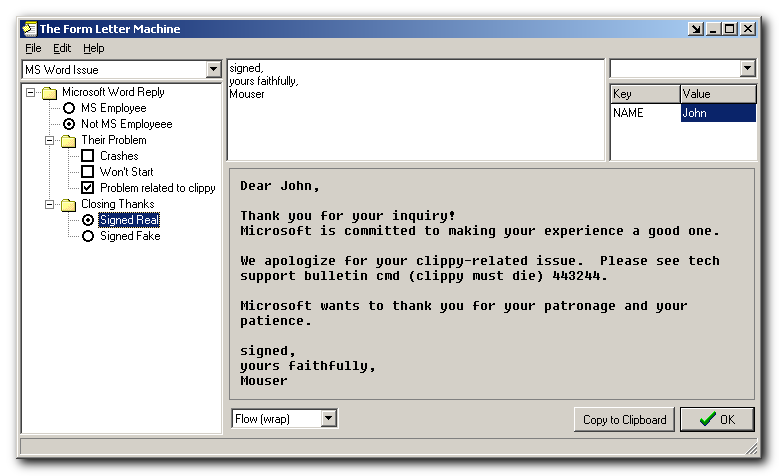
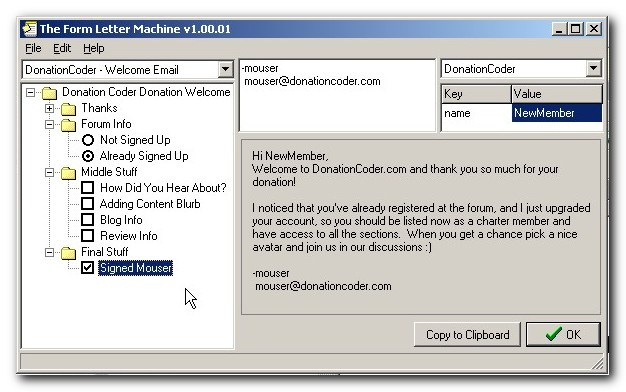
The Form Letter Machine is a program that will help you to write letters and emails by mixing and matching from pre-written paragraphs.
It's useful for people who regularly need to send out emails which include different components in different circumstances. For example if you field technical support requests, or if you need to reply to various inquiries, etc.
It enables you to assemble text from multiple paragraphs, each one customized for a specific type of inquiry or response. You can build your own configurations using checkboxes and radioboxes and nested groups, and then easily write new letters or respond to inquiries by checking off the components you want to include. A real-time preview allows you to view the message as it is composed. The program also supports user defined variables, which allows you to quickly personalize the template with a name or other data that is specific to the task. The text is then copied to the clipboard and can be used in your e-mail program or word processor.